


Starter
For small shops moving beyond spreadsheets.
$99/mo
Billed monthly
- 1 location
- 3 users
- 150 work orders per month
- 10 GB storage
Closed beta · now accepting shops
Repair shop management software that keeps tickets, approvals, parts, and customer updates moving—from check-in to pickup.
Built by a working repair shop owner: founder Sam runs PC Repair Center.
What changes
RepairOps gives every repair a place on the board, every customer a way to follow along, and every step a record.
01
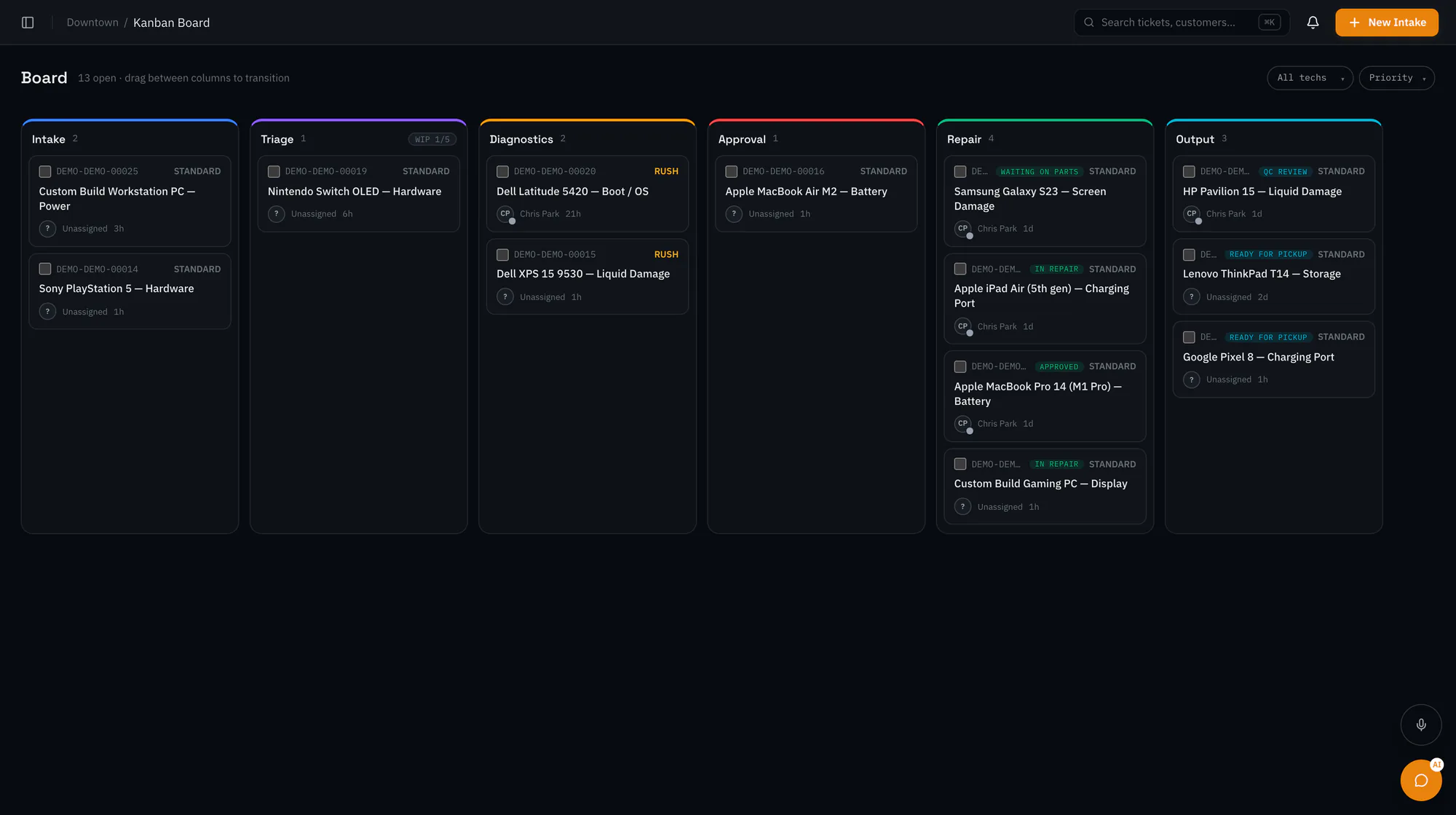
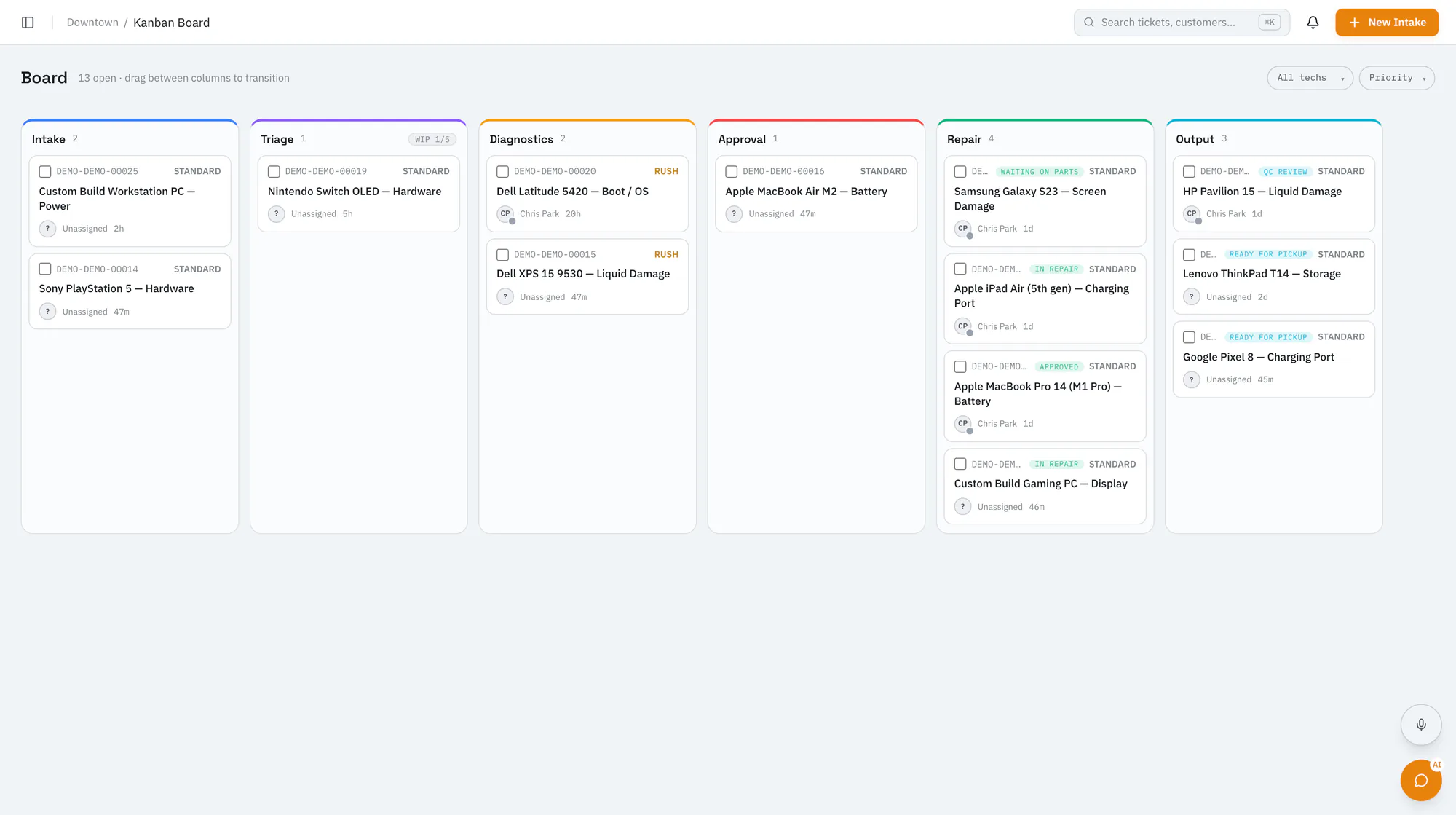
Every open repair sits on one Kanban board by stage, with its priority, technician, and how long it has been waiting. The dashboard pulls out what needs you today, like quotes waiting on customers and jobs that are due.
02
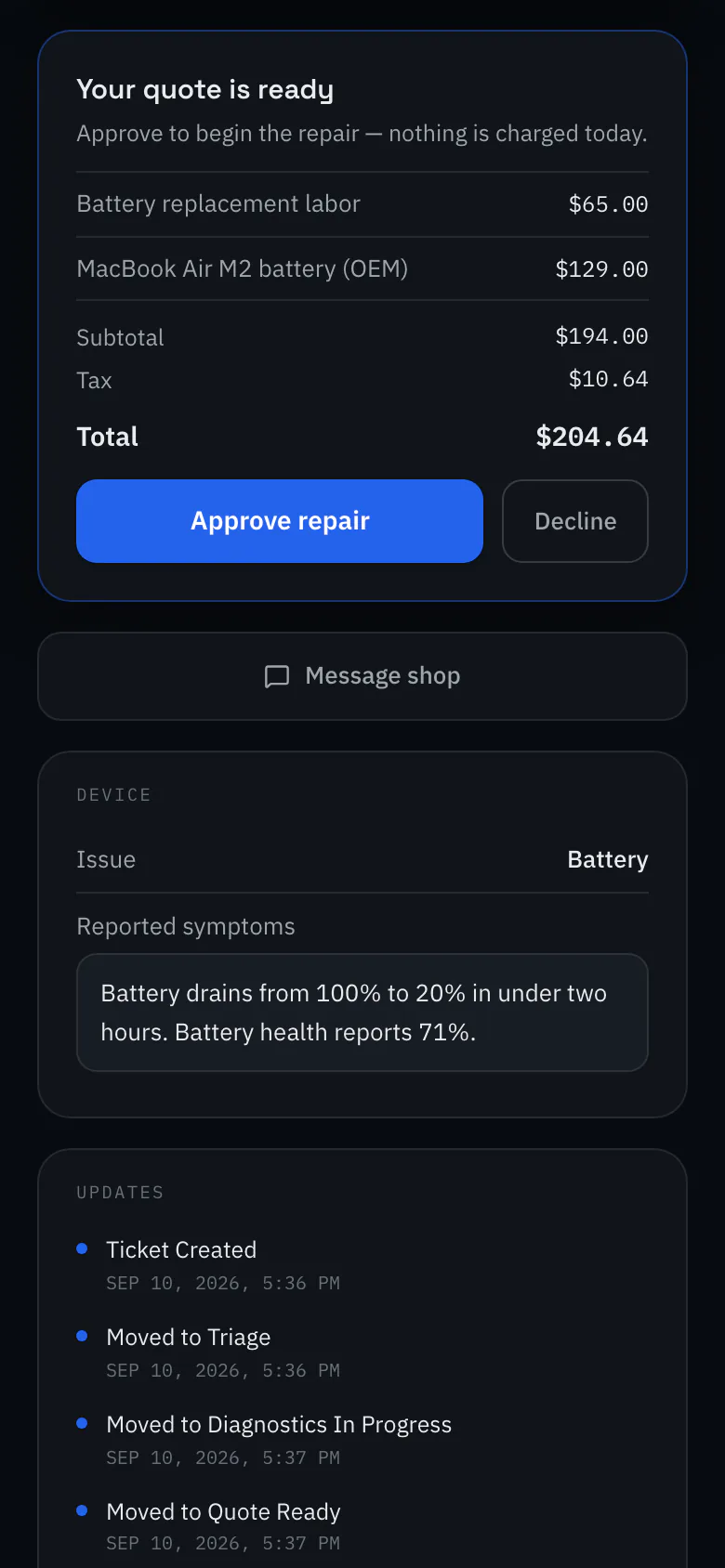
Customers get a private link to follow their repair. When the quote is ready, they review it and approve or decline from that link, with an optional signature, instead of playing phone tag.
03
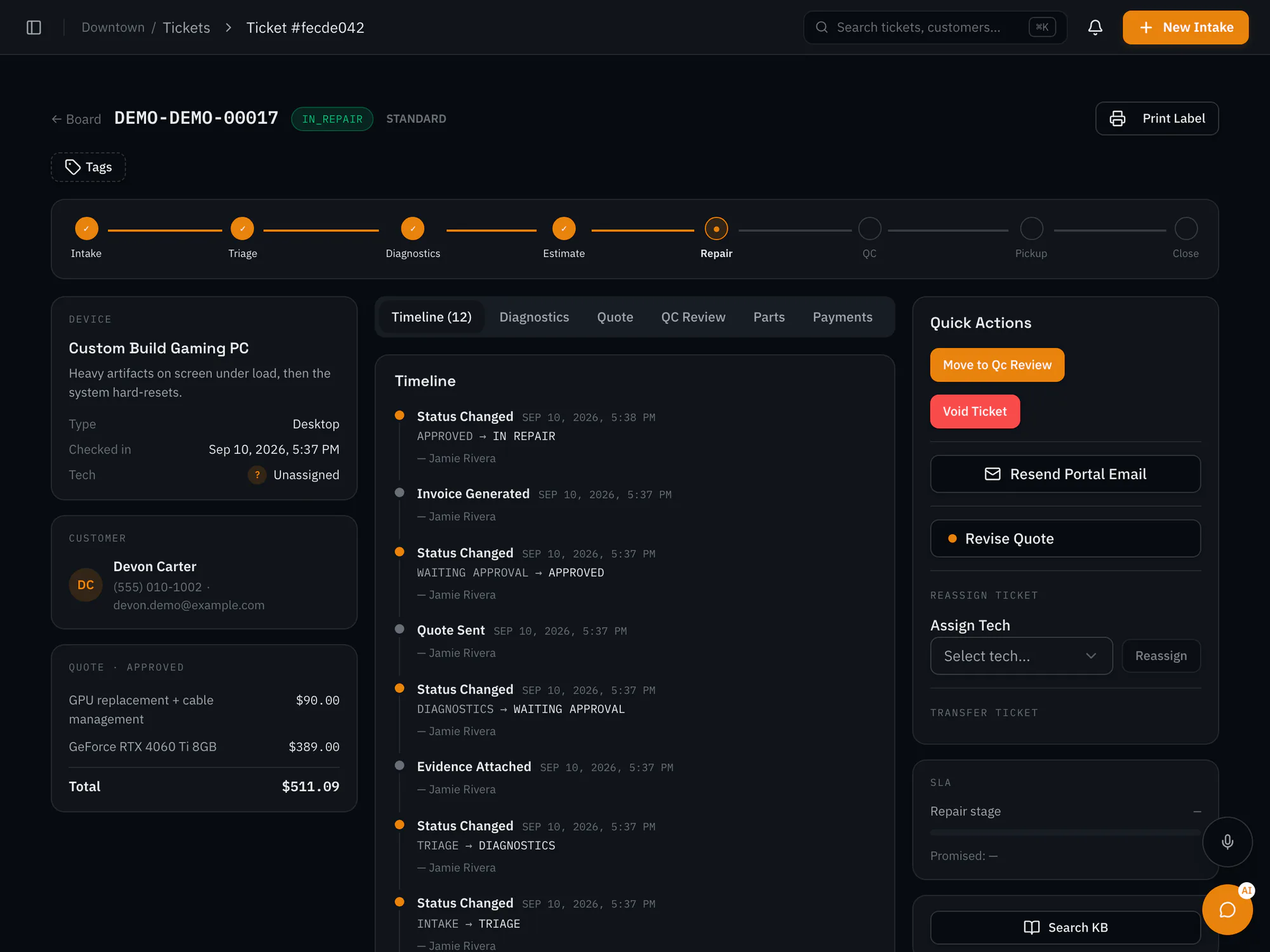
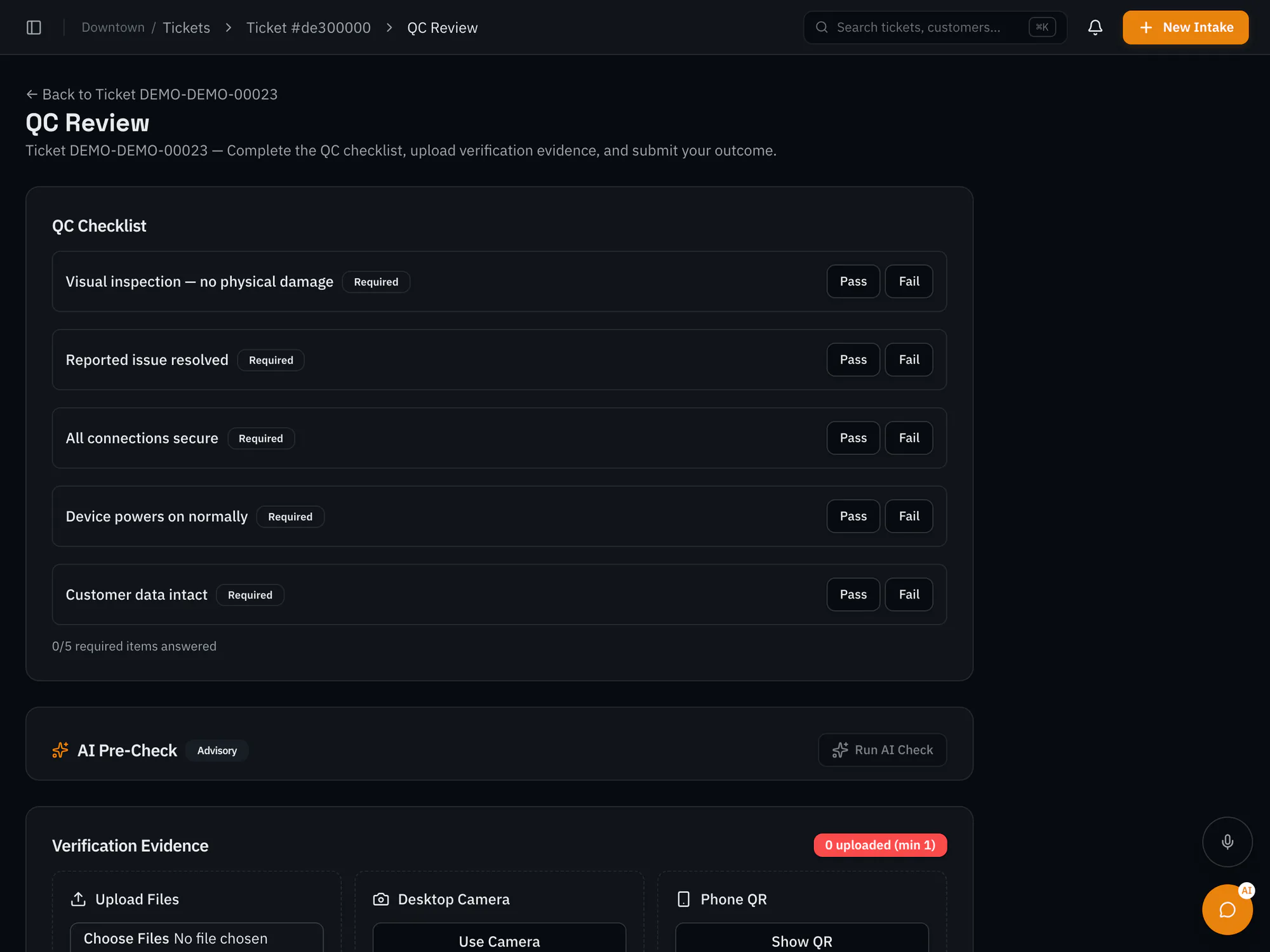
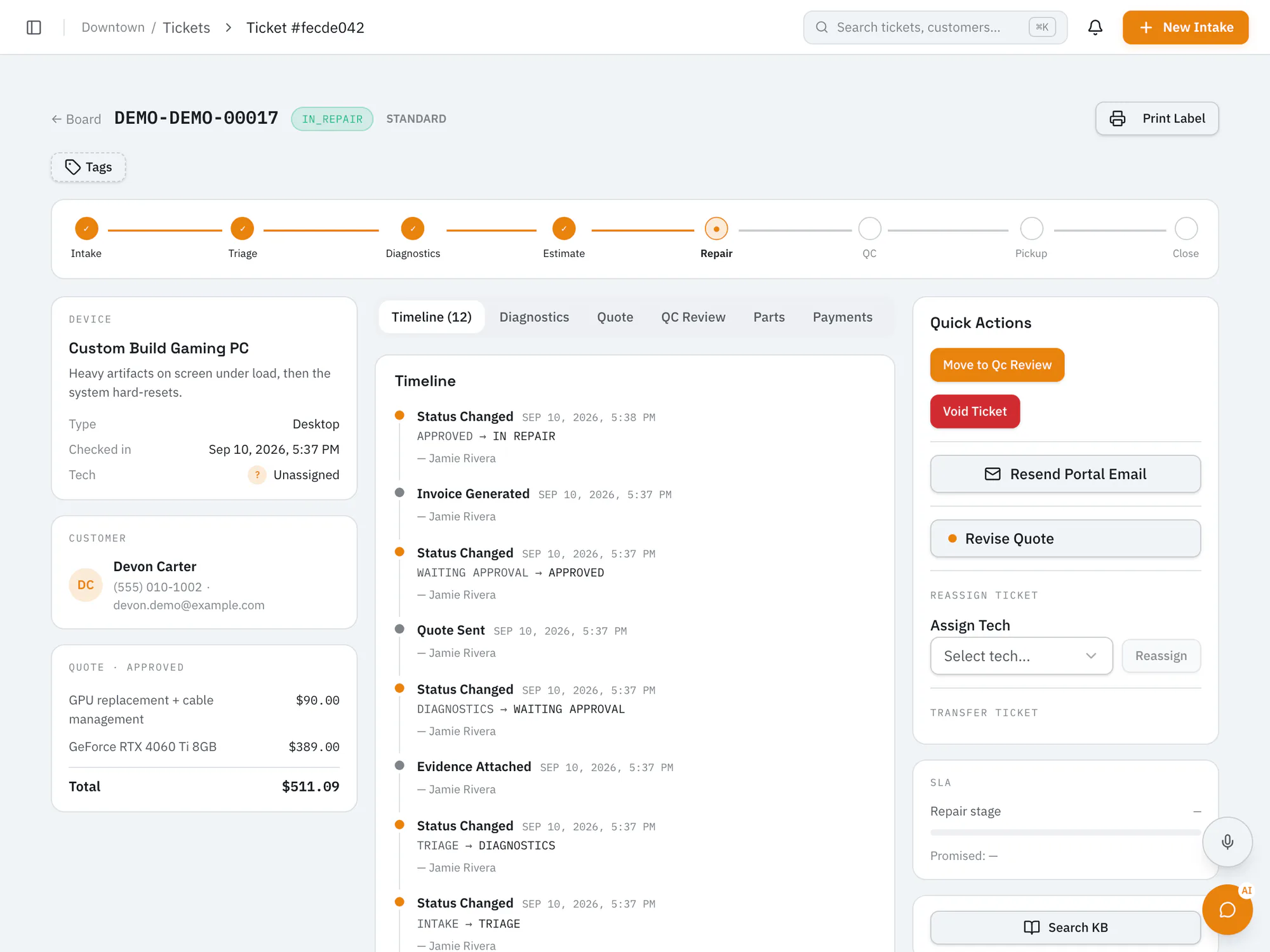
A repair can't move to ready for pickup without a quality check: the checklist answered, a photo attached, and an outcome recorded. Failed checks go back to repair, and the timeline keeps a record of each step.
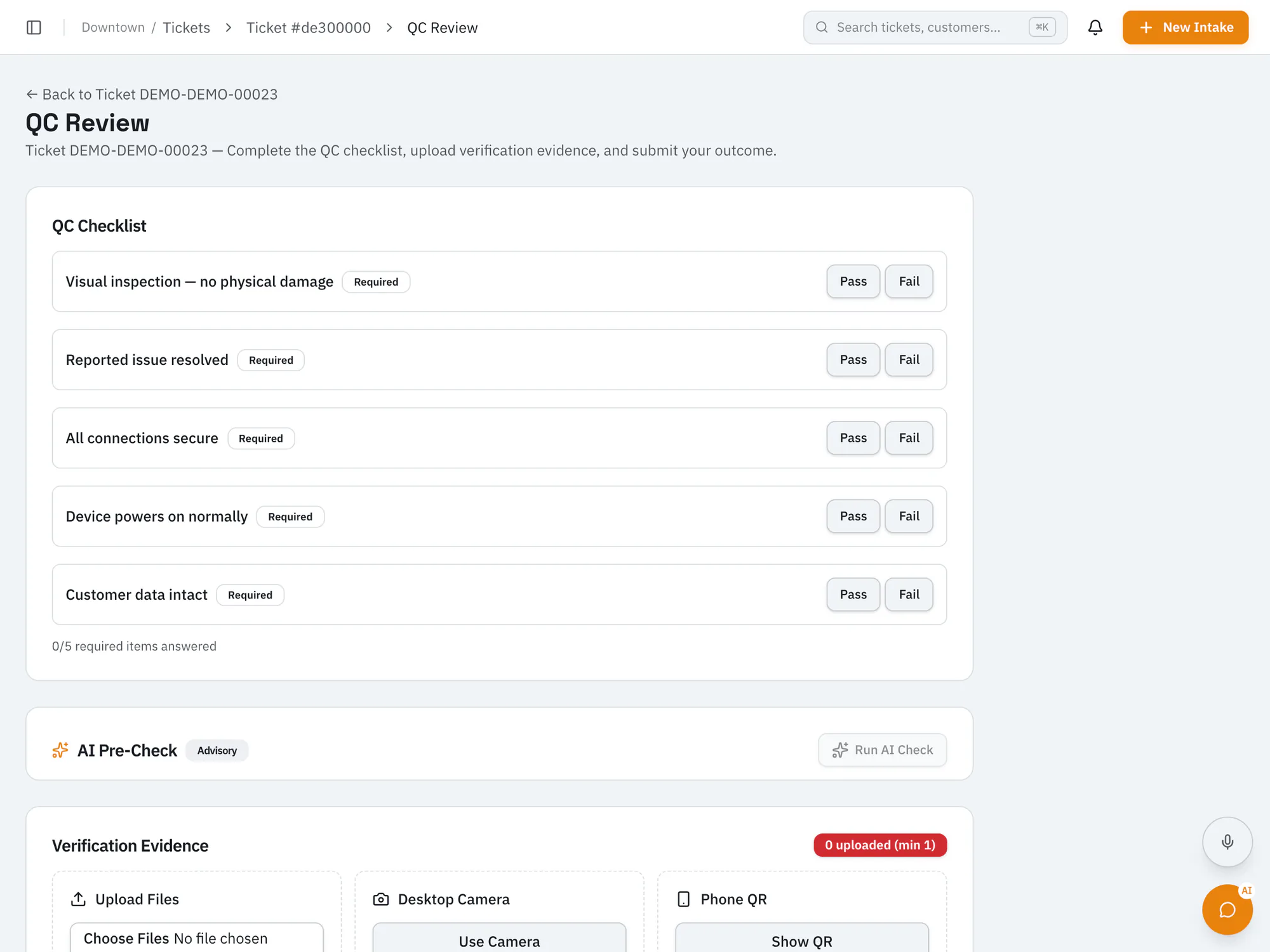
A repair, start to finish
The same stages you'll see on a RepairOps ticket: intake, diagnostics, estimate, repair, QC, and pickup.
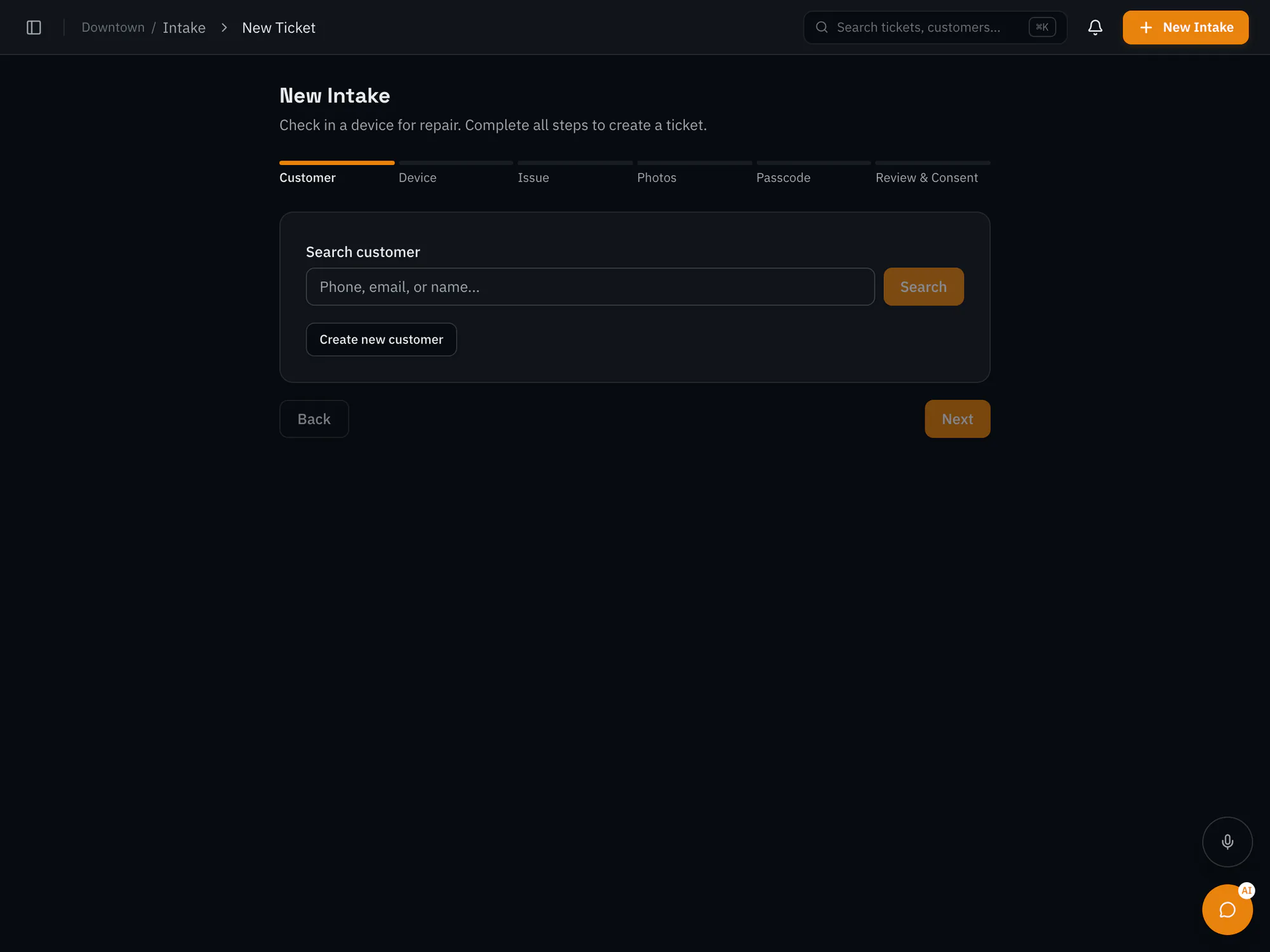
Log the customer, the device, what they're reporting, and intake photos at the counter, with the customer's history a click away.
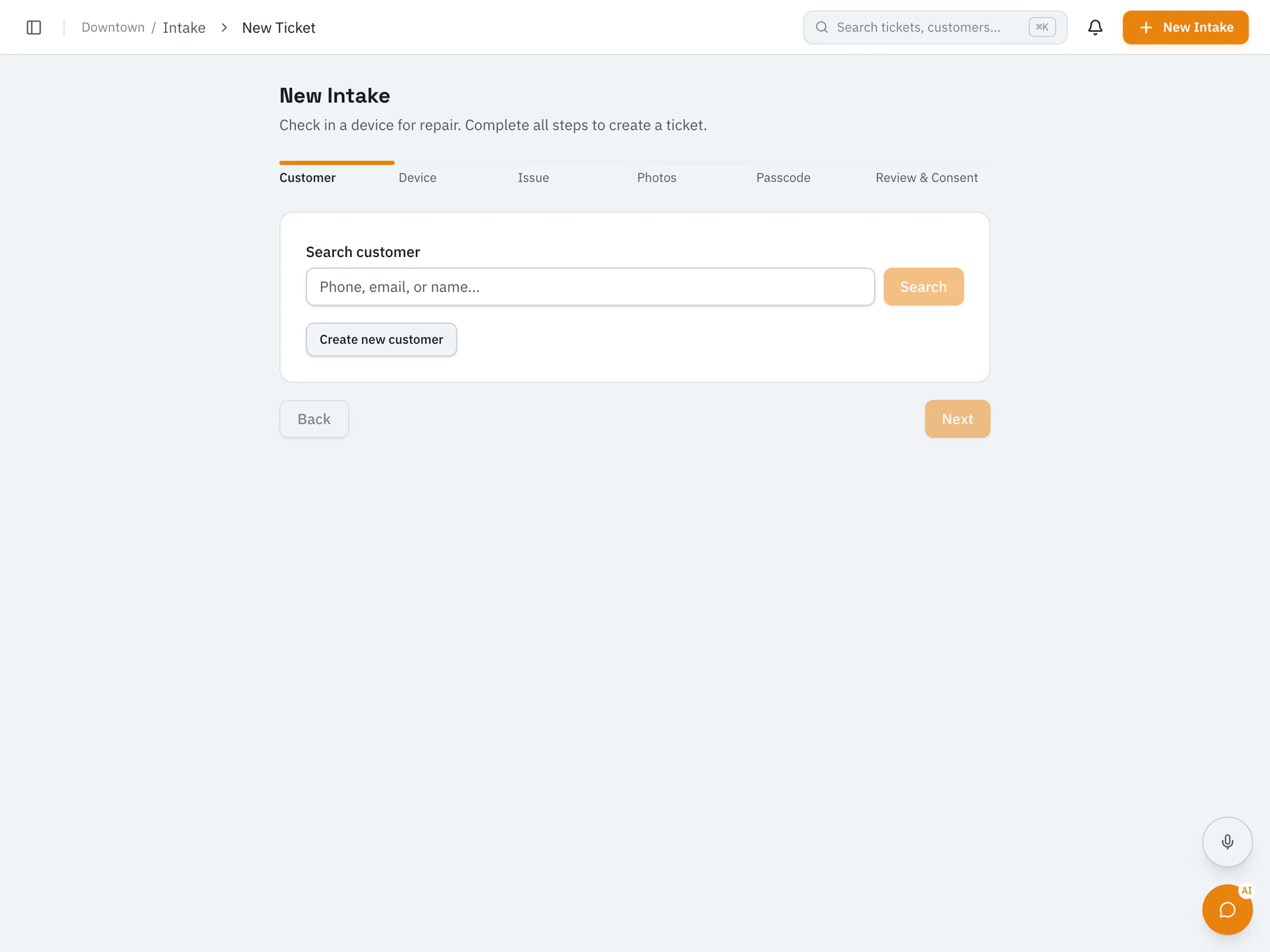
Customer updates
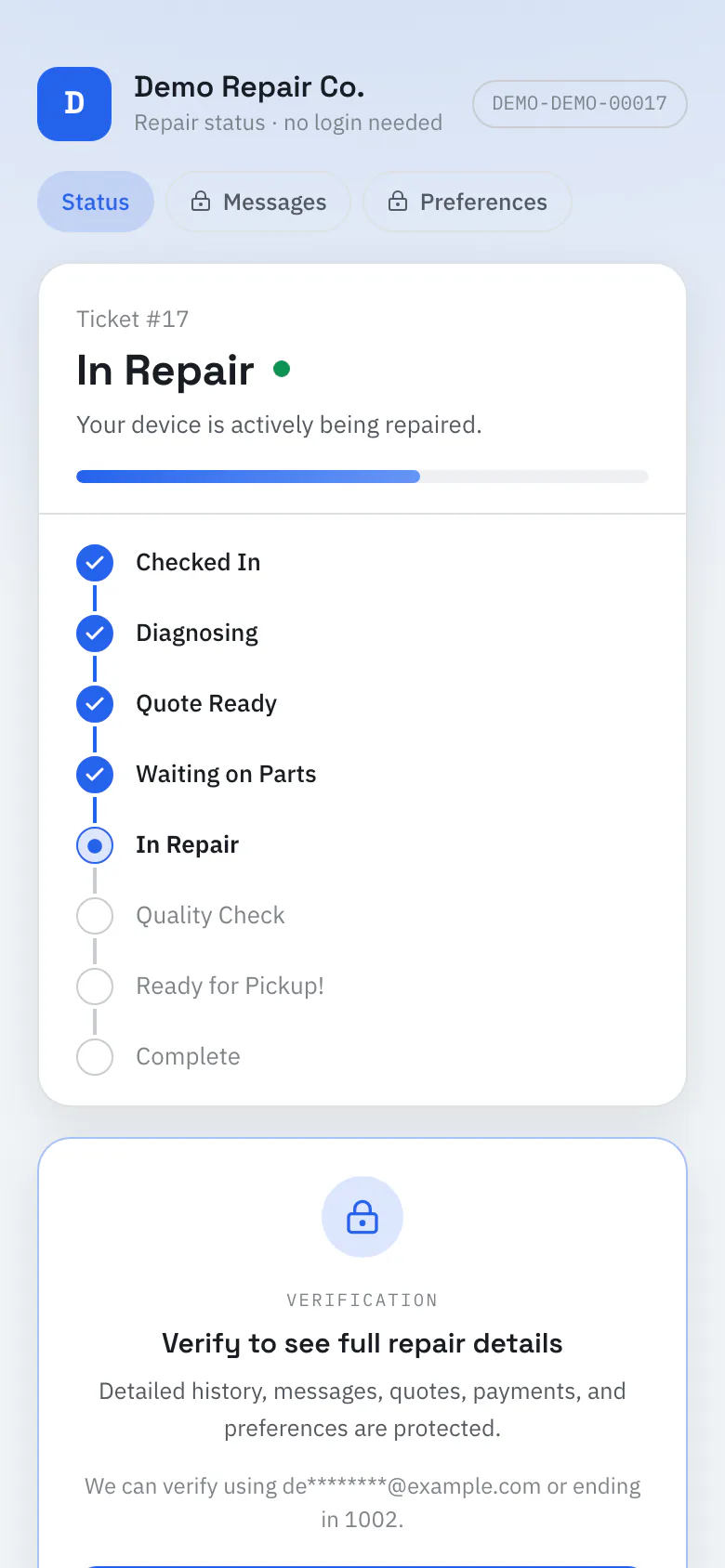
Every repair has a secure page for the customer, with no password to remember. They confirm their email or phone to see the full details.
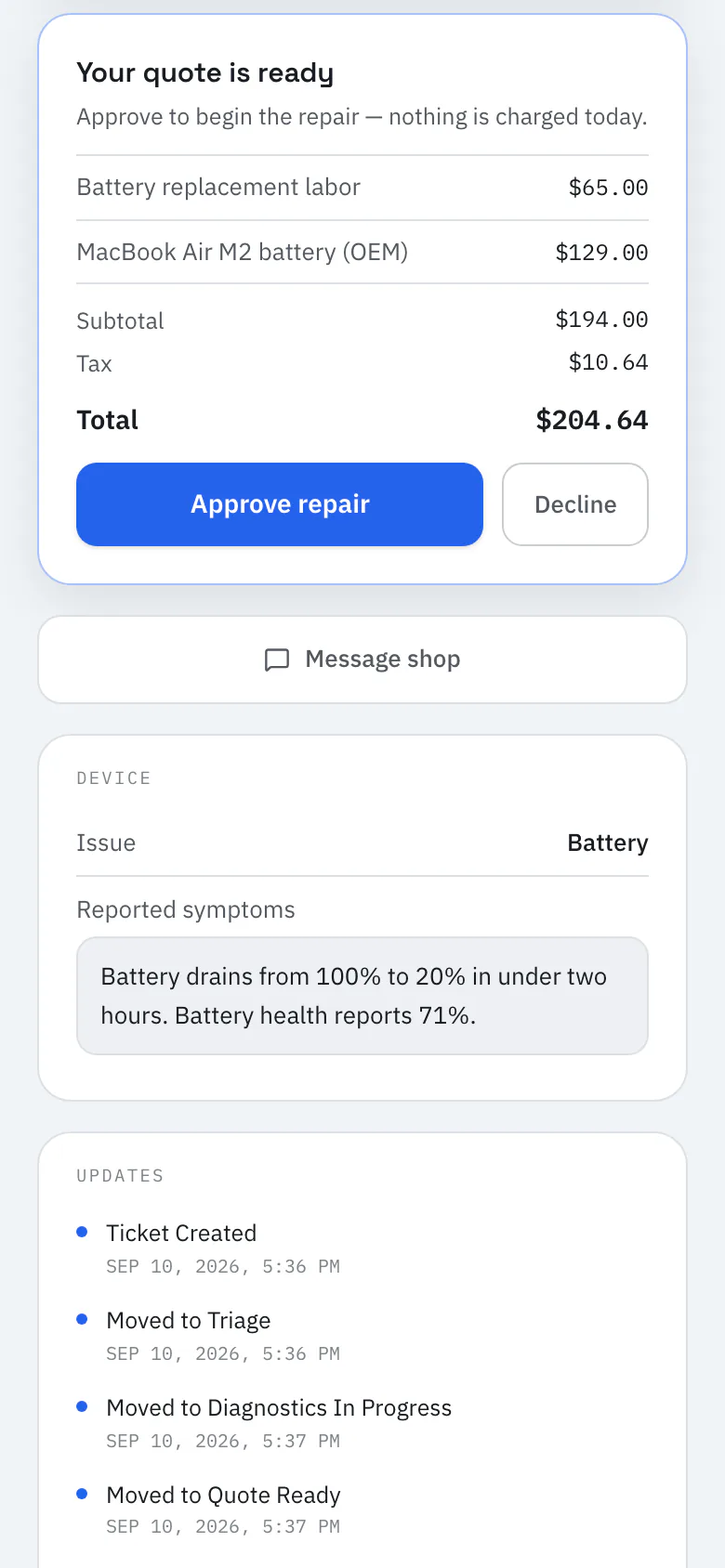
The RepairOps customer portal for demo repairs (sample data).
Optional AI
Turn on an AI add-on when it's useful. Intake, note, and diagnostic suggestions are shown to your team to use, change, or ignore.
Use your own OpenAI, Anthropic, Google, Groq, Mistral, or OpenRouter key with AI Ready, or managed credits with AI Assist and AI Copilot. See AI pricing
AI Assist and up
AI Assist and up
Pro plan with an AI add-on
Pro plan with an AI add-on
Pro plan with AI Copilot
RepairOps works fully without AI. Every plan includes the repair workflow, customer portal, and quality checks.
How AI works in RepairOpsBuilt by repair professionals
RepairOps is built by someone who still runs a repair counter.
Founder Sam runs PC Repair Center. RepairOps is shaped around the parts of the day that take a shop's time: checking devices in, chasing approvals, keeping track of parts, and making sure nothing goes home unchecked.
Its PC Repair Tracker importer was checked against the PCRT system Sam's own shops use, because switching should not mean losing your history.
Read the RepairOps storyPricing
Every plan includes the repair workflow, customer portal, and required QC, with no per-ticket fees. We'll confirm your plan and any beta terms before you start.
For small shops moving beyond spreadsheets.
$99/mo
Billed monthly
For one busy shop that wants the full toolkit.
$199/mo
Billed monthly
For busy shops and small multi-location operators.
$449/mo
Billed monthly
For larger groups that need custom limits and contracts.
From$1,500/mo
Annual agreement, priced with our team
Switching
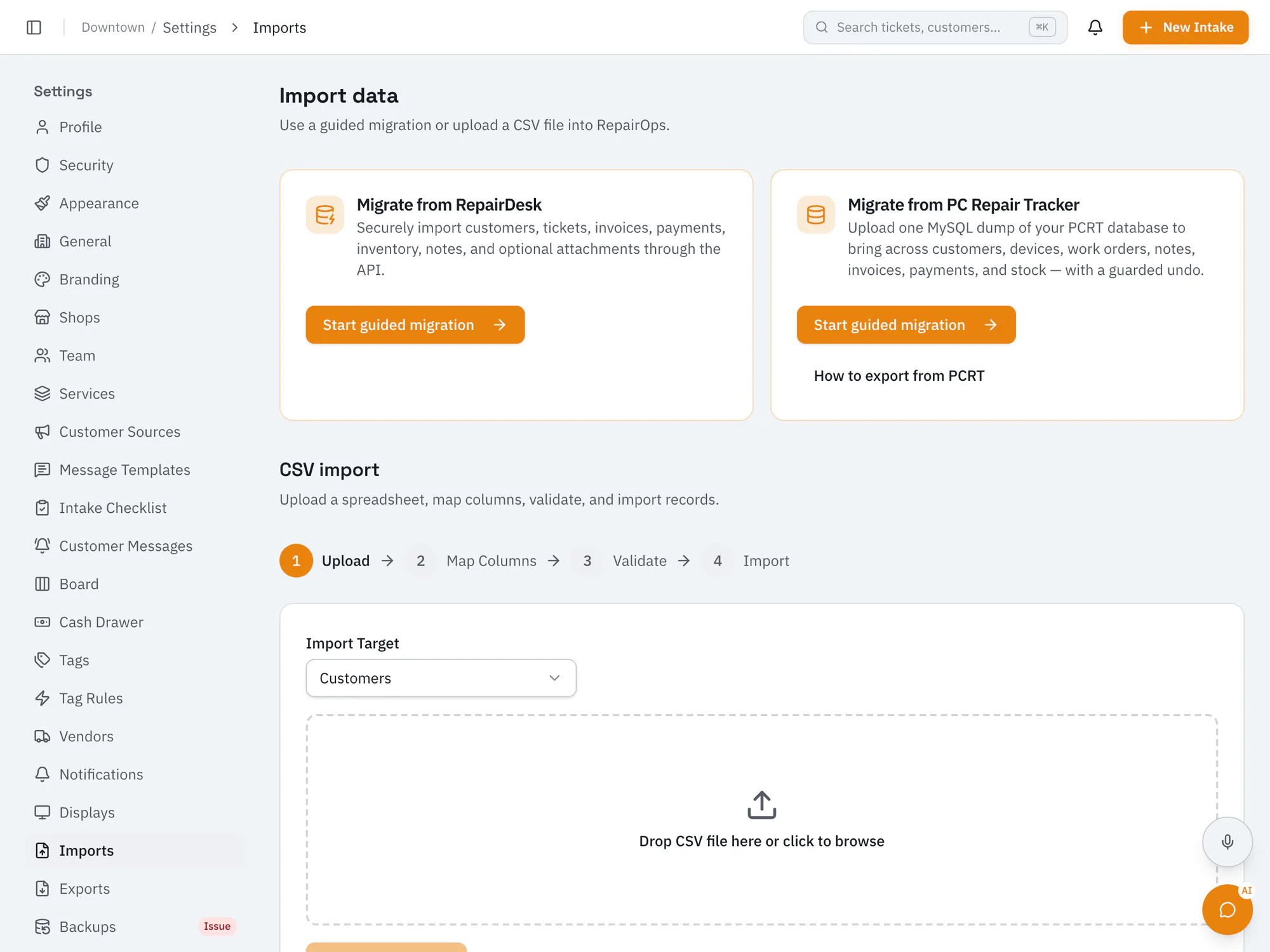
Owners run migrations from RepairOps settings, with a preview before anything is saved and an undo window afterwards.
Upload a PCRT database dump to bring over customers, devices, work orders, notes, invoices, payments, and inventory.
Connect your RepairDesk API key to copy customers, devices, tickets, invoices, payments, and inventory.
Import customers, devices, inventory, and services from CSV, with column mapping and a dry run first.
Large histories import in the background and can take hours. An import can be undone for 30 days if the records haven't been edited. There isn't a dedicated importer for RepairShopr or mHelpDesk yet.
Independent repair shops and IT service businesses: PC and computer repair, phone repair, MSPs and IT teams, and shops with more than one location. Plans start with a single location.
RepairOps is in closed beta. Join the beta and tell us about your shop. We're inviting shops in small batches and will confirm your plan and any beta terms with you before you start. You can also book a demo.
Yes. RepairOps has built-in importers for PC Repair Tracker (database dump or CSV) and RepairDesk (API key), plus CSV import for customers, devices, inventory, and services. There isn't a dedicated importer for RepairShopr or mHelpDesk yet.
Each repair has a secure page with its status and timeline. After confirming their email or phone, customers can review and approve the quote, add a signature, and message your shop. They don't need an account or password.
No. AI is an optional add-on. You can use your own provider keys with AI Ready, or managed credits with AI Assist or AI Copilot. Some AI tasks need the Pro or Business plan.
Starter is $99 a month, Pro is $199, Business is $449, and Enterprise starts at $1,500. Annual billing saves 20% on Starter, Pro, and Business, and there are no per-ticket fees.
Now onboarding beta shops
RepairOps is onboarding repair shops in small batches. Join the beta and we'll be in touch when a spot opens.
