

Ai In Repair12 min read
How AI Is Changing the Repair Industry
AI isn't replacing repair technicians — it's making them faster, more accurate, and more productive. Here's how AI is transforming repair shop operations in 2026.
Team & Operations
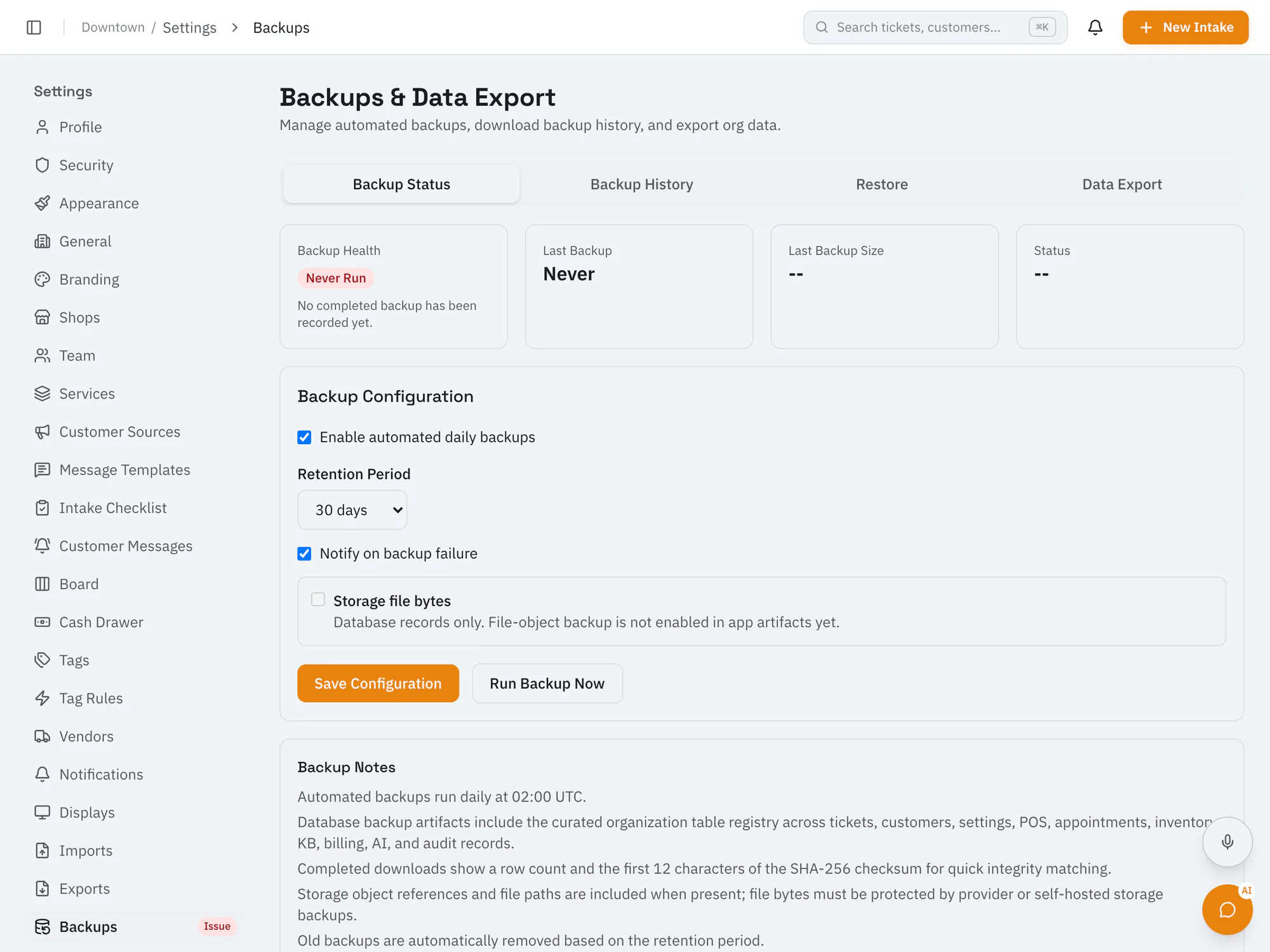
Daily backups of your shop's recordsRepairOps backs up your shop's records automatically every day. Owners choose how long to keep backups, can turn automatic backups off, download them, and request a restore when they need one. Backups cover records; photos and files aren't included.
Starter plan and upCompare plans
Why it matters
Records are backed up every day without interrupting work, unless the owner turns automatic backups off.
Keep backups for 7 to 365 days; the default is 30.
Ask for a restore to a sandbox or to production, and our team runs it.
How it works
Choose how long backups are kept.
Owners can run a backup manually or download one.
If something goes wrong, request a restore and our team handles it.
Ai In Repair12 min read
AI isn't replacing repair technicians — it's making them faster, more accurate, and more productive. Here's how AI is transforming repair shop operations in 2026.
Ai In Repair9 min read
No hype, no jargon — a straightforward guide to how AI actually works in repair shops, what BYOK means, and how to get started without breaking the bank.
Now onboarding beta shops
RepairOps is onboarding repair shops in small batches. Join the beta and we'll be in touch when a spot opens.