

Ai In Repair12 min read
How AI Is Changing the Repair Industry
AI isn't replacing repair technicians — it's making them faster, more accurate, and more productive. Here's how AI is transforming repair shop operations in 2026.
Integrations & Plugins
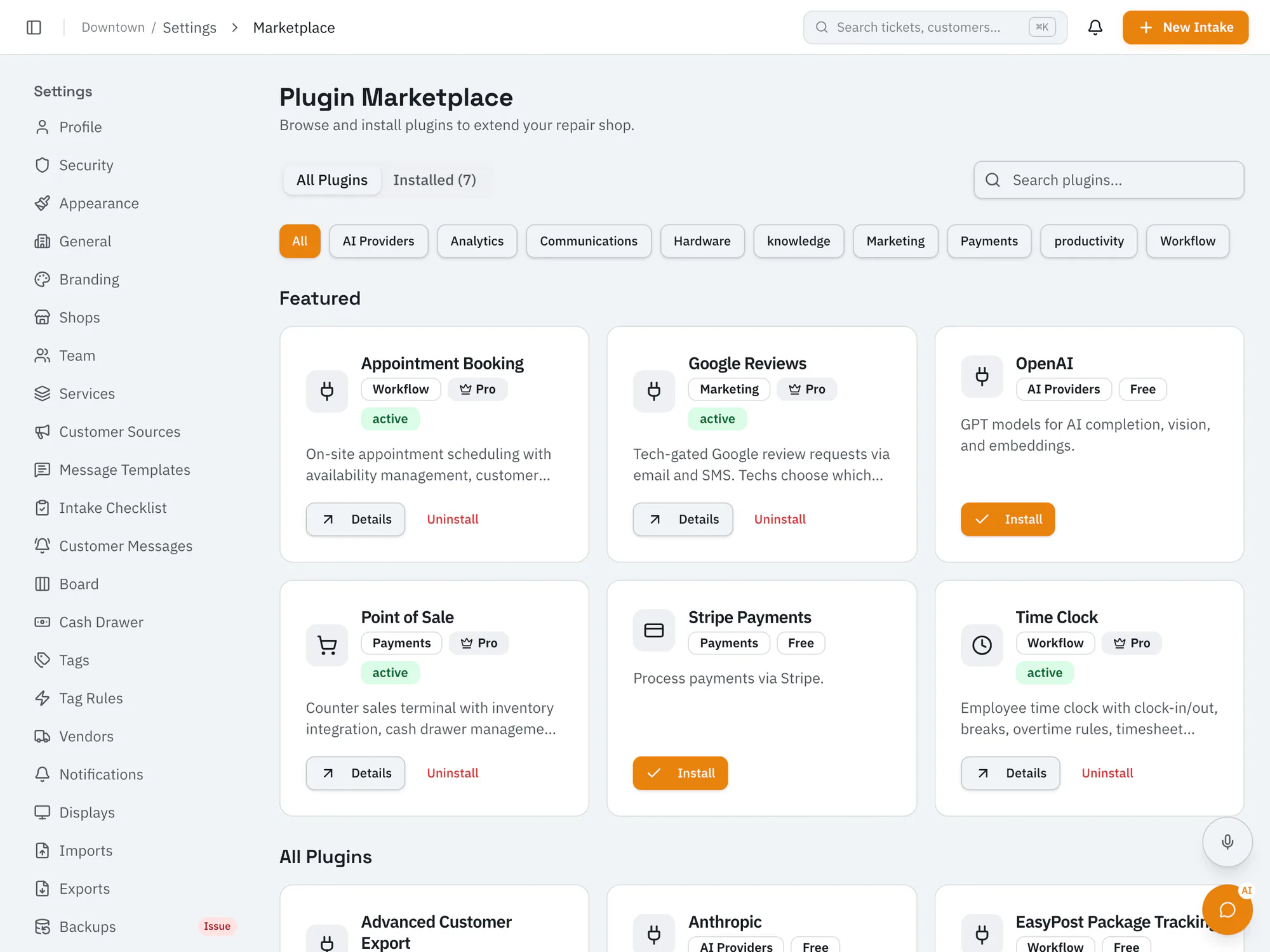
Add features to RepairOps with built-in pluginsBrowse and install first-party plugins for payments, messaging, AI providers, shipment tracking, and shop features like point of sale, time clock, booking, and reviews. Free plugins work on every plan; some need Pro or higher.
Starter plan and upCompare plans
Why it matters
Owners install plugins without scripts or separate hosting.
Check each plugin's details and rating before installing.
Only owners can install plugins; owners and managers can browse them.
How it works
Open the plugin marketplace in settings.
Install a plugin and add any account details it needs.
Adjust the plugin's settings for your shop.
Ai In Repair12 min read
AI isn't replacing repair technicians — it's making them faster, more accurate, and more productive. Here's how AI is transforming repair shop operations in 2026.
Ai In Repair9 min read
No hype, no jargon — a straightforward guide to how AI actually works in repair shops, what BYOK means, and how to get started without breaking the bank.
Now onboarding beta shops
RepairOps is onboarding repair shops in small batches. Join the beta and we'll be in touch when a spot opens.