

Ai In Repair12 min read
How AI Is Changing the Repair Industry
AI isn't replacing repair technicians — it's making them faster, more accurate, and more productive. Here's how AI is transforming repair shop operations in 2026.
Team & Operations
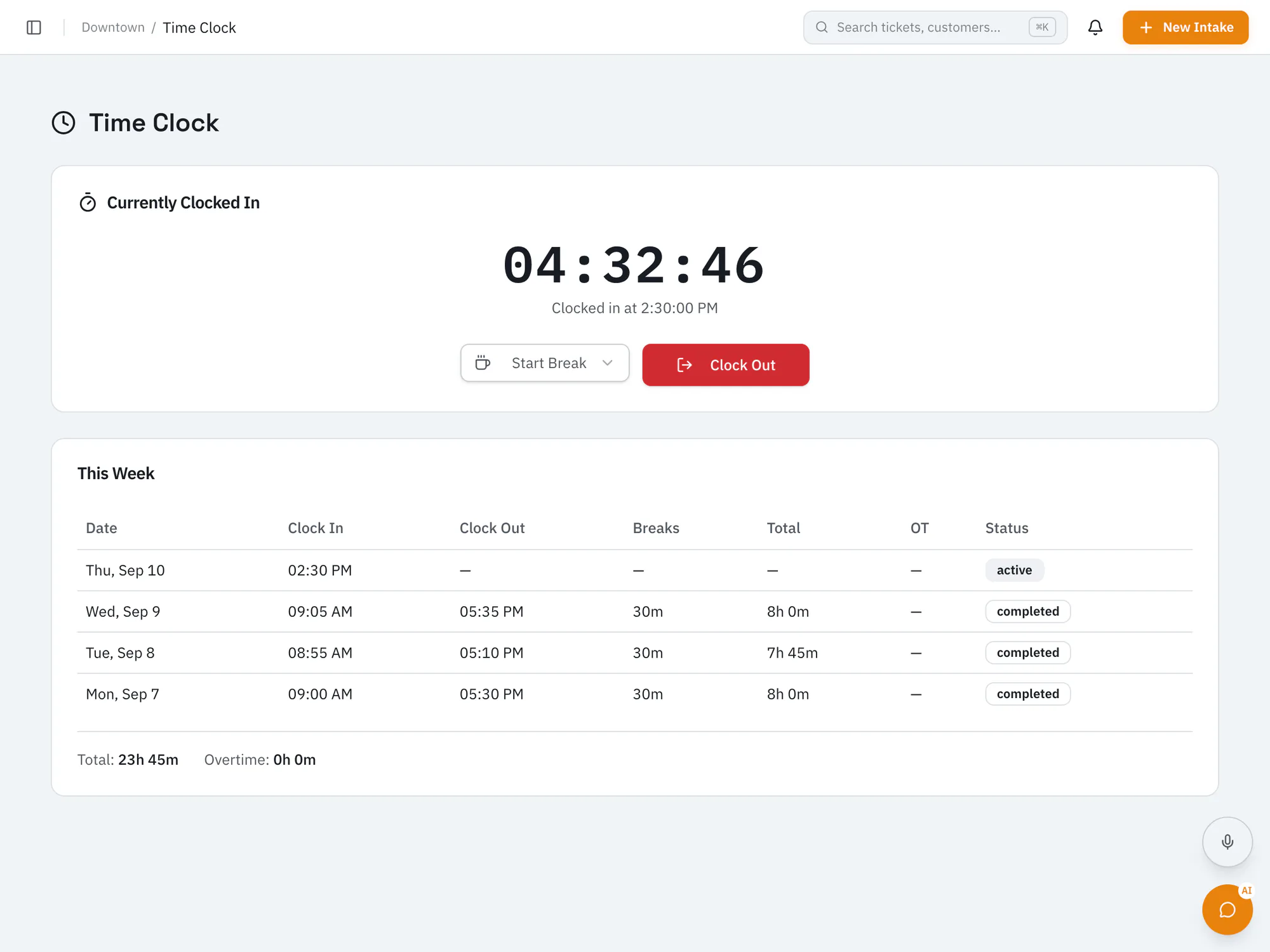
Stop manually auditing punch cardsA built-in time clock with breaks, overtime, and state meal-break rules, plus payroll CSV exports formatted for QuickBooks, Gusto, ADP, or Paychex.
Pro plan and upCompare plans
Why it matters
Staff can clock in with a personal PIN.
Apply overtime and state meal-break rules to shifts.
Export hours as a CSV formatted for QuickBooks, Gusto, ADP, or Paychex.
How it works
Team members clock in and out from RepairOps.
Managers review time and breaks for the team.
Download a payroll CSV at the end of the pay period.
Ai In Repair12 min read
AI isn't replacing repair technicians — it's making them faster, more accurate, and more productive. Here's how AI is transforming repair shop operations in 2026.
Ai In Repair9 min read
No hype, no jargon — a straightforward guide to how AI actually works in repair shops, what BYOK means, and how to get started without breaking the bank.
Now onboarding beta shops
RepairOps is onboarding repair shops in small batches. Join the beta and we'll be in touch when a spot opens.