


Ai In Repair12 min read
How AI Is Changing the Repair Industry
AI isn't replacing repair technicians — it's making them faster, more accurate, and more productive. Here's how AI is transforming repair shop operations in 2026.
Customer Experience
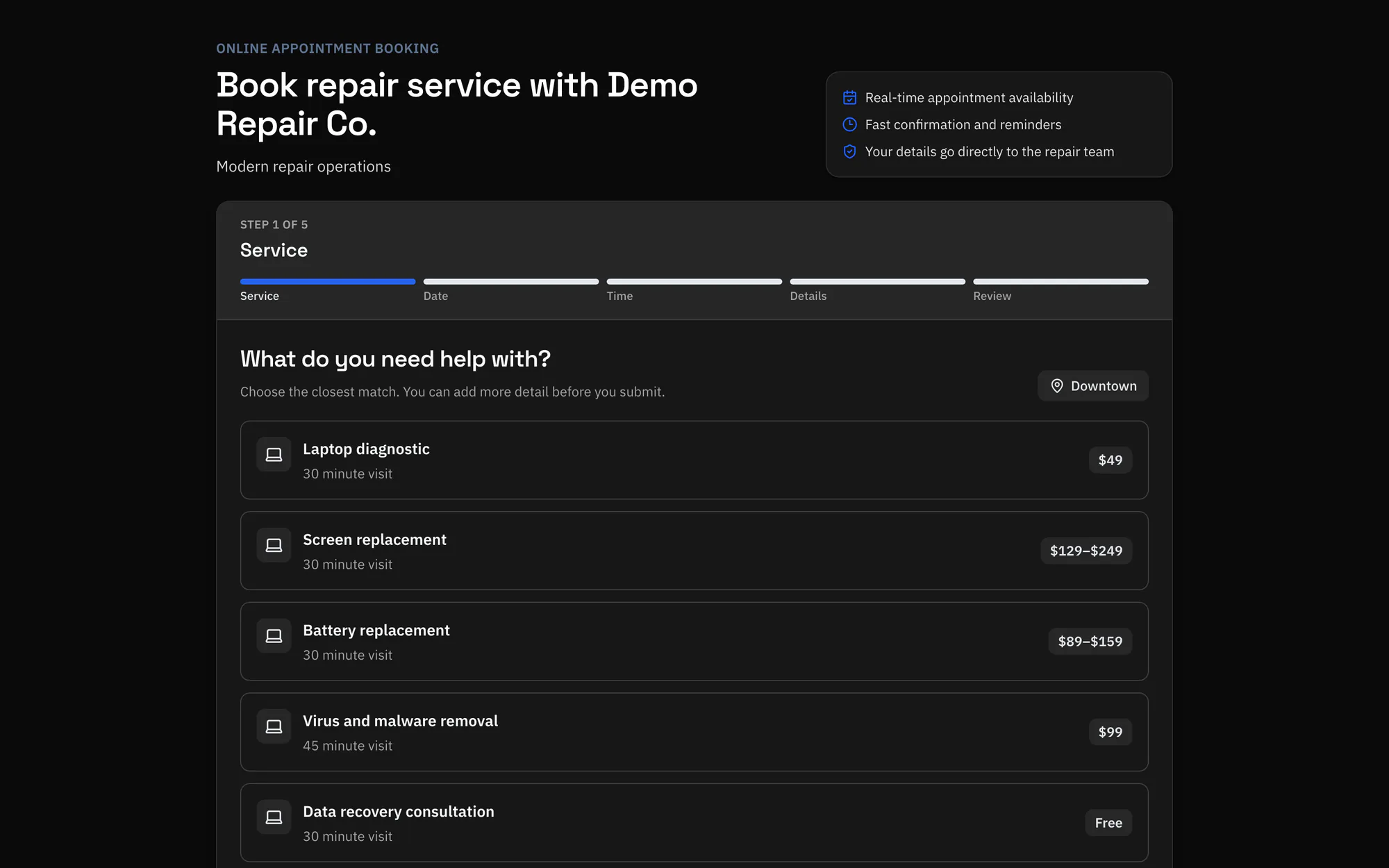
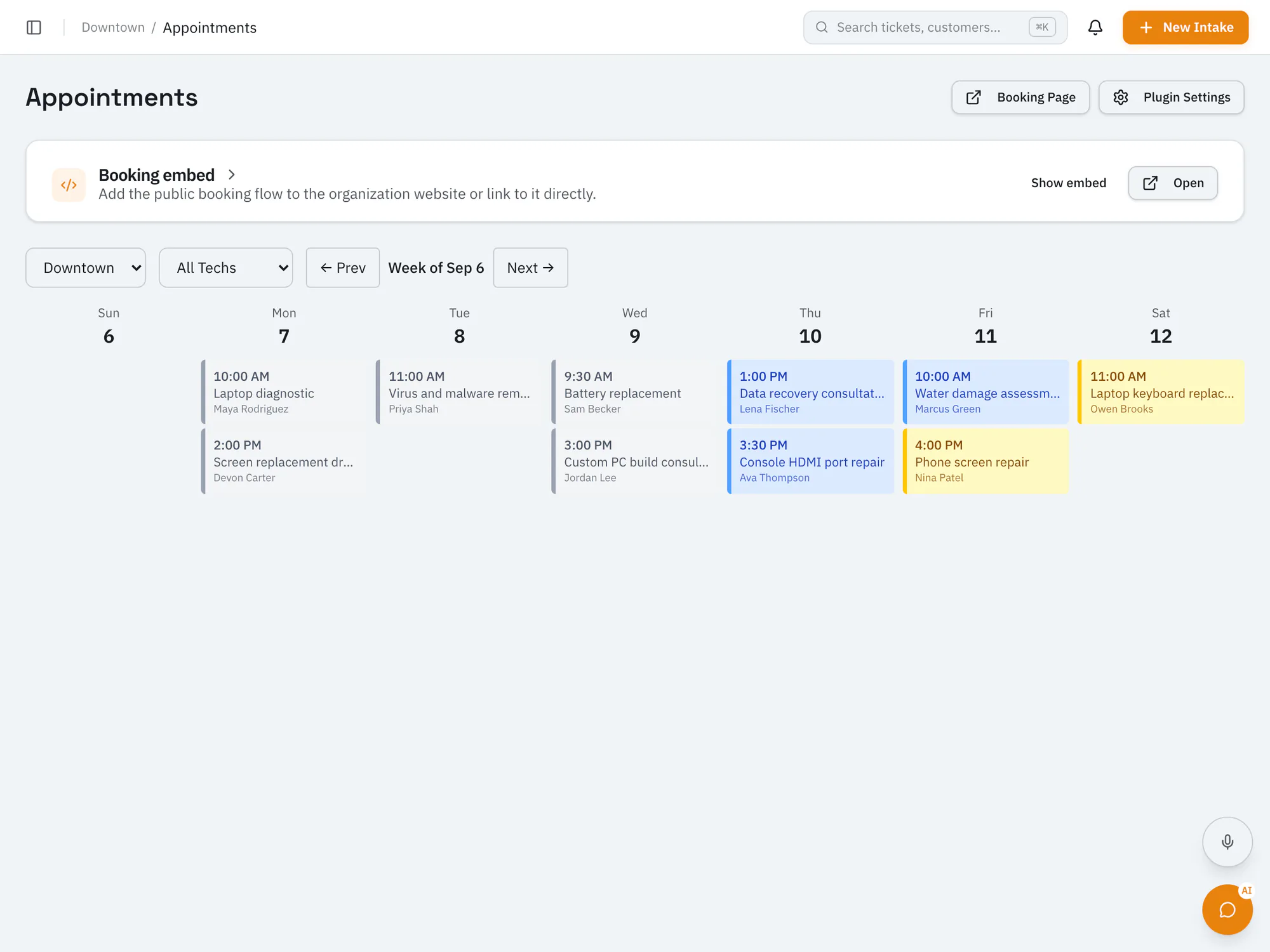
Let customers request a time onlineAdd a booking widget to your website so customers can pick an available time and describe the problem. Each booking creates a pre-filled intake ticket.
Pro plan and upCompare plans
Why it matters
Set business hours and block out holidays and other closures.
Bookings arrive as intake tickets with the customer's details and issue.
Embed the booking widget on your website with a short snippet.
How it works
They choose an available slot and describe the issue.
RepairOps creates a pre-filled intake ticket for the appointment.
Customers get email or text confirmations and reminders before the appointment.
Ai In Repair12 min read
AI isn't replacing repair technicians — it's making them faster, more accurate, and more productive. Here's how AI is transforming repair shop operations in 2026.
Ai In Repair9 min read
No hype, no jargon — a straightforward guide to how AI actually works in repair shops, what BYOK means, and how to get started without breaking the bank.
Now onboarding beta shops
RepairOps is onboarding repair shops in small batches. Join the beta and we'll be in touch when a spot opens.