

Ai In Repair12 min read
How AI Is Changing the Repair Industry
AI isn't replacing repair technicians — it's making them faster, more accurate, and more productive. Here's how AI is transforming repair shop operations in 2026.
Team & Operations
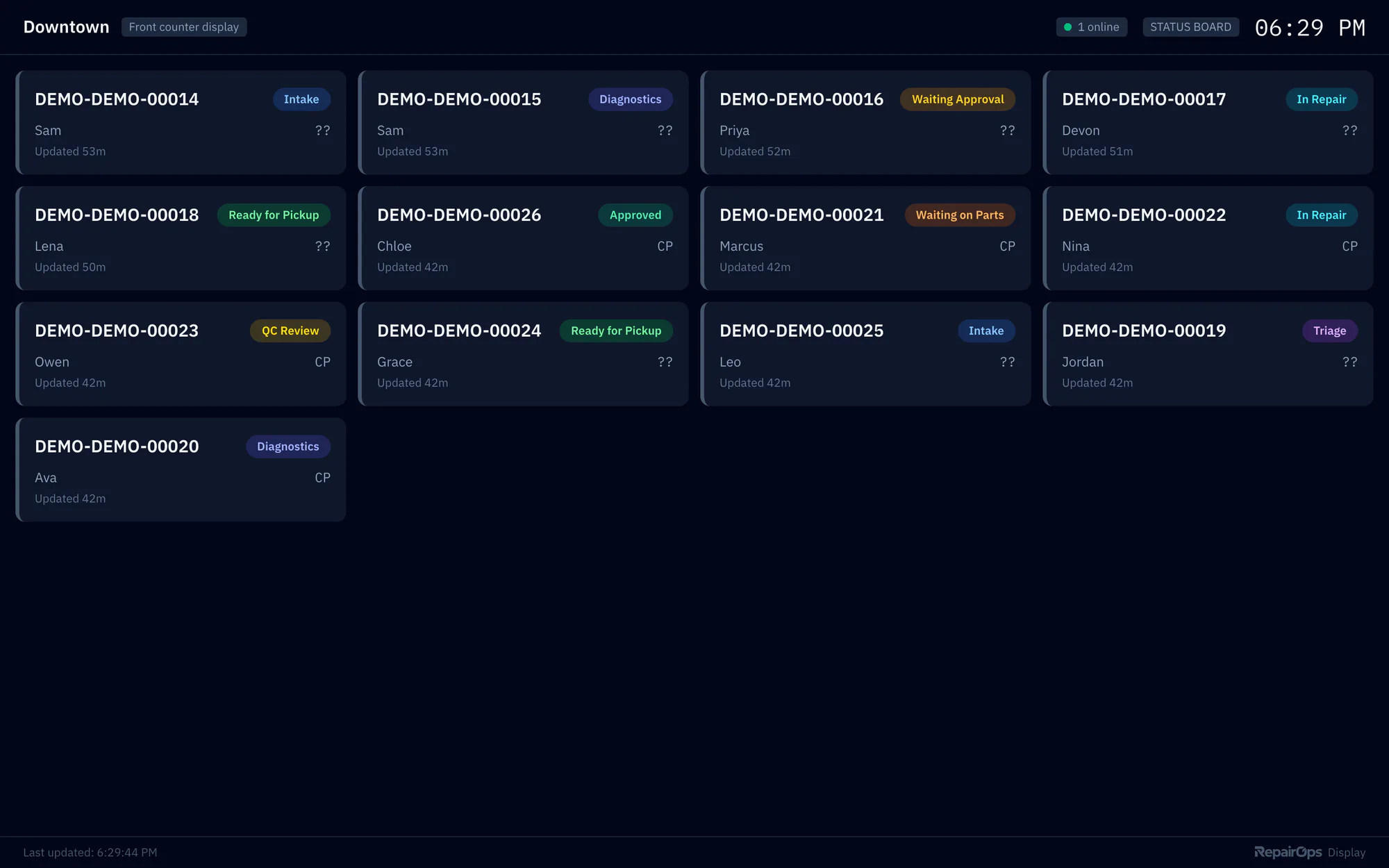
Keep everyone aligned with big-screen visibilityTurn a TV into a live view of the shop. Show a status board, the Kanban board, a technician queue, or KPIs, with overdue tickets highlighted.
Pro plan and upCompare plans
Why it matters
A high-contrast layout that's easy to read across the shop.
Each display uses a read-only link you can revoke at any time.
Rotate between views on a timer you set.
How it works
Add a display in settings and choose what it shows.
Use any device with a web browser connected to your TV.
The display refreshes automatically as tickets move.
Ai In Repair12 min read
AI isn't replacing repair technicians — it's making them faster, more accurate, and more productive. Here's how AI is transforming repair shop operations in 2026.

Ai In Repair9 min read
No hype, no jargon — a straightforward guide to how AI actually works in repair shops, what BYOK means, and how to get started without breaking the bank.
Now onboarding beta shops
RepairOps is onboarding repair shops in small batches. Join the beta and we'll be in touch when a spot opens.