
Ai In Repair12 min read
How AI Is Changing the Repair Industry
AI isn't replacing repair technicians — it's making them faster, more accurate, and more productive. Here's how AI is transforming repair shop operations in 2026.
Workflow & Tickets
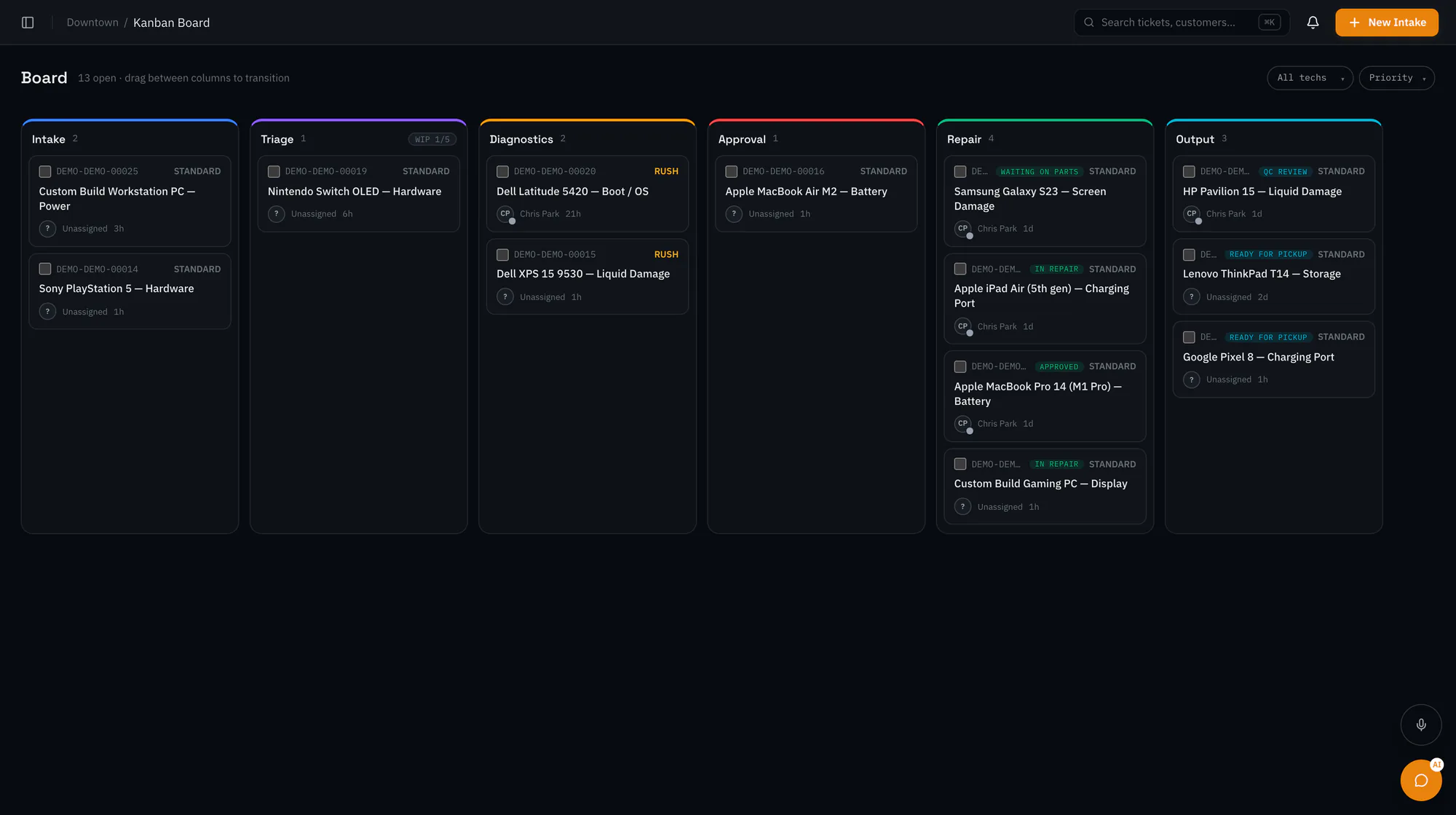
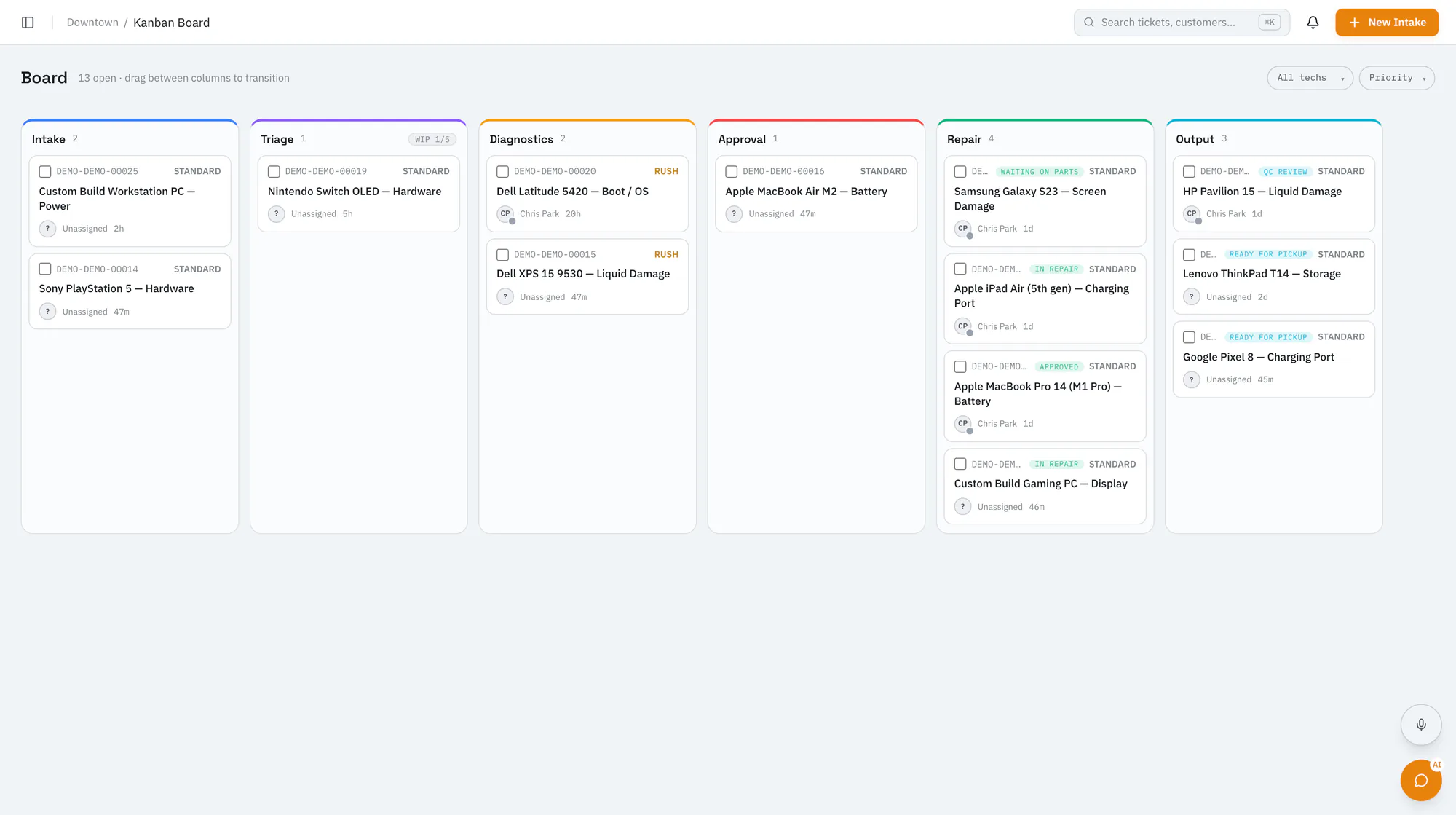
See your whole shop floor at a glanceDrag tickets between board columns, set work-in-progress limits, and keep technicians focused on what's next. The board updates live for everyone in the shop.
Starter plan and upCompare plans
Why it matters
Move tickets between stages; changes show up in real time on every screen.
Set a limit for each column so a stage doesn't quietly pile up.
Show a read-only board on a shop floor display, with overdue tickets highlighted (Pro plan and up).
How it works
Start from the default board, adjust the columns, or bring over your PC Repair Tracker status board.
Drag tickets forward as work happens. Technicians see a board suited to their role and their own queue.
Tickets move from intake to output as repairs pass QC and go back to customers.
Ai In Repair12 min read
AI isn't replacing repair technicians — it's making them faster, more accurate, and more productive. Here's how AI is transforming repair shop operations in 2026.

Ai In Repair9 min read
No hype, no jargon — a straightforward guide to how AI actually works in repair shops, what BYOK means, and how to get started without breaking the bank.
Now onboarding beta shops
RepairOps is onboarding repair shops in small batches. Join the beta and we'll be in touch when a spot opens.